‏إظهار الرسائل ذات التسميات Whats App. إظهار كافة الرسائل

الأحد، 22 مايو 2016

How To Install 4 WhatsApp In An Andriod Smart Phone Without Root?


There Would Be A Question Roaming Around Your Mind "Is It Possible To Install Four[4] Whatsapp On Your Android Phone Without Root?"
Well The Answer For Your Question Is "Absolutely Possible"
Now You Would Be Wondering "Dude,How Is That Possible? I Have Now Googl It"
Well,No Buddy I'm Here For You...
Let's See How?
Steps:-

1.     Download The WhatsApp From The Playstore.[Download Now] & Install It.
2.     Download Parallel Space-Multi Accounts Application.[Download Now] & Install It.
→ Now Open The Paralles Space Application And Click On Plus(+) Button & Install Whatsapp.
→Done.
3.     Download Disa Application.[Download Now] & Install It.
→Open The Application And Click On Add Service Button And Install Whatsapp.
→Now Restart The Disa App.
→After Restart You Will See The Message “Whatsapp Settings Needed” And Click On It.
→Now Enter The Name,Phone Number,MCC(Mobile Country Codes) & MNC(Mobile Network Codes).
→Find The MCC & MNC From Here.
→Done.
4.     Download GBWhatsapp Apk File[Download Now] & Install It.
→If It Shows Install Blocked Then Go To Security Settings & Enable/Allow Unknown Sources.
→Done.



الأحد، 15 مايو 2016

How To Activate WhatsApp Video Calling?


We Know That WhatsApp Video Calling Will Be Available Soon.
Currently WhatsApp Video Calling Is  Only For Beta Testers,But Still U Can Enable Whatsapp Video Calling Features In Your Andriod Smart Phone.

How to Enable Whatsapp Video Calling?
  1. Download  WhatsApp Messenger 2.16.80 Or 2.16.81 From Below Link.
  2. Install The WhatsApp Messenger.
  3. If It Shows Install Blocked Then Go To Security Settings & Enable/Allow Unknown Sources.
  4. Now Open Any Chat & Click On Call Button.
  5. You Can See Audio Call & Video Call.
  6. When You Clicked On Video Call Message Shows That
    Couldn't Place Call.It's Because Currently Video Call Is Not Activate For All Users
    But When It Activate You Can Use Video Calling.
Proof Is Here:-


 WhatsApp Messenger 2.16.81 Beta

 WhatsApp Messenger 2.16.81 Beta


WhatsApp Messenger 2.16.80 Beta

الأربعاء، 2 مارس 2016

How To Use Wikipedia Via Whatsapp?


Accessing Wikipedia via Whatsapp. 

Follow these steps: 

1. Save the below shared contact as Wikipedia to your phone.

+917823996562

Or
+1 581 318-3940


2. Create a Group with any Groupname and add this contact (wikipedia) only.

 You are already another contact by default: so wikipedia and you (only 2 members) become the members. 

3. Now you
post in that group, anything textual to search in Wikipedia starting text with "wiki<space>".

Eg:if you want something to know about "Google"

You must type: wiki GOOGLE. (WIKI <SPACE> GOOGLE)

4. Wikipedia replies you in the group automatically.  
Try this feature from Wikipedia Today 
Happy Wiki Searching


الجمعة، 12 فبراير 2016

How To Share Big Files On WhatsApp?

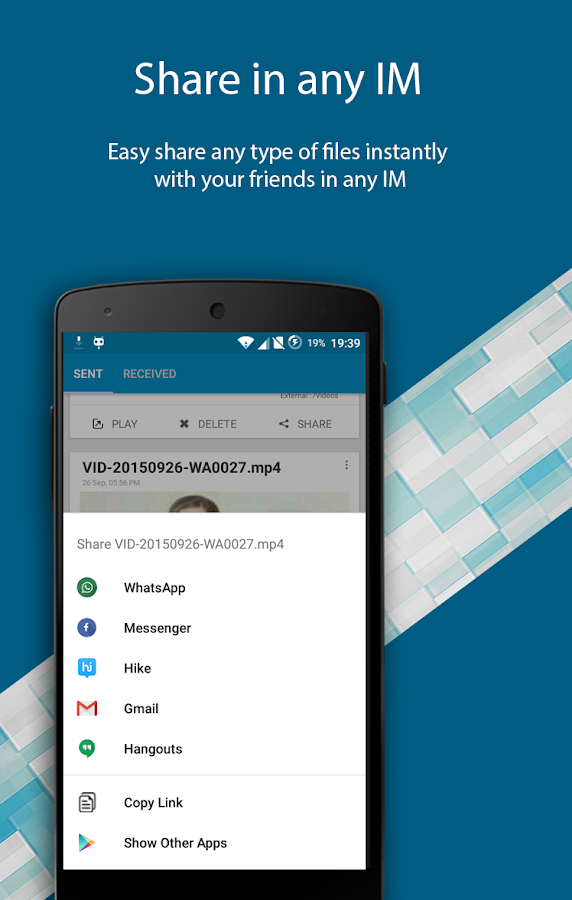
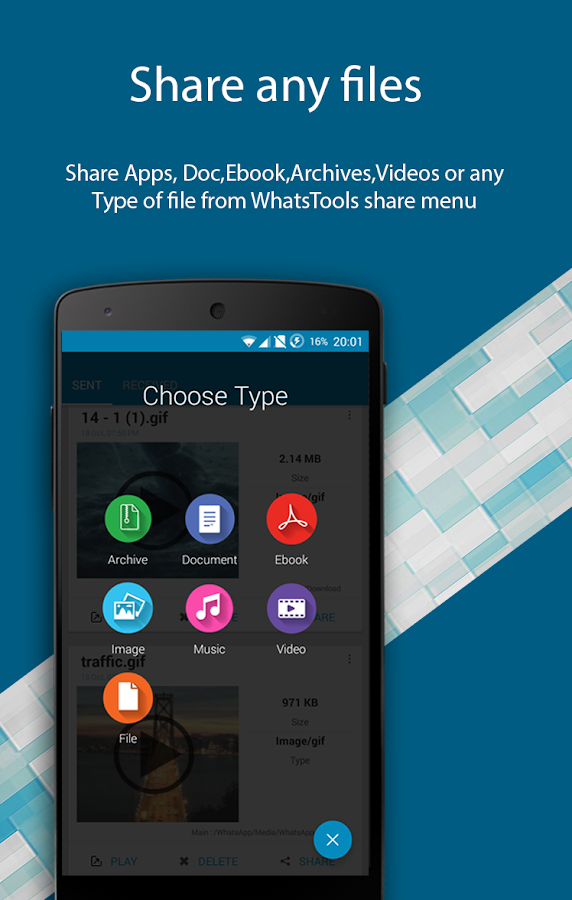
   WhatsTools: Share File Via IM- screenshot

   WhatsTools: Share File Via IM- screenshot

WhatsApp is a very popular mobile messaging app available for google android, Apple iOS, Blackberry, Nokia Series 40,Symbian 60, Windows Phone. In addition to sending text messages over internet, it also allows users to share and send Images,
Audios and Videos with each other. But it has certain limitations :
– It allows users to send only image, audio and video files only.
There is no in-built option to send other file types such as PDF, DOC, APK, etc.
– The maximum video size that can be sent over whatsapp is restricted to 16 MB.
You cannot send videos larger than 16 MB. However whatsapp allow you to trim and compress the video before sending.
But still its a limited feature. We cannot send large videos.
– If you have noticed, when you send images on whatsapp, they are compressed and sent to the receiver.
However the quality is not noticeable on mobile, but it can be noticed on computer.
If we want to send HD images, the quality will be significantly reduced.
The above are the severe restrictions for file transfer in whatsapp. However you can upload the image, video, audio or any other file type without losing quality, to any file sharing site and share it with your friends.
But it will be a lengthy process. So, here is a whatsapp trick to share and send any kind of file and transfer your images, audio and videos without losing its quality. We need one more app along with whatsapp to use this trick.
Follow the below procedure :
Requirements :
WhatsApp,whatsTools
Trick to Send Any File Type in WhatsApp upto 1GB:
WhatsTools – Advanced File sharing for WhatsApp.
You might already be having WhatsApp installed on your phone. Now the first thing you need to do is download WhatsTools.


Play Store :- https://play.google.com/store/apps/details?id=com.whatstools_filesender_app_free_pdf_video_gif_document
1. Now First Install whatstools
App on your device. Open the App, It will prompt you to enable background services
Click ok to continue
Then turn on WhatsTools Service

2. Next click on attach button in WhatsApp or + button in WhatsTools
connect to Google Drive
You will be asked to authorize Google Drive app.
Just Click allow
WhatsTools will create a new folder in your Google Drive with a name WhatsTools.
Once authorization is complete, you can start Sharing.

If you want to use your default Google Drive account, then no problem.
If you want to add a new one only for sharing then create a new Google account.
And authorization that account to your WhatsTools app.

3. Now, to Send any file type,
Use attach button in WhatsTools to share any file or you can diretly share files using WhatsTools.

You can share using file manager. Long press any file. Select share option

Select “Via WhatsTools To AnyWhere”.

share it with WhatsApp or any other IM in your phone.

4. Wait for WhatsTools to upload the selected file to your Google Drive newly created WhatsTools folder.
The transfer time depends upon the file size and your internet connection.
The good thing is receiver can see the uploading status(How much % uploaded by the sender).
Both the users should not need this app installed on their mobiles.
Ony sender need to install WhatsTools. And can sent files to any IM in all platforms.

5. After clicking the share button, you will given option to share the link to several platforms including SMS, Email, WhatsApp,
WeChat, Google +, Facebook and all those IM apps which are installed on your device. At this time we will select WhatsApp.

Select your friend or Group to share the link. The link will be displayed along with the filename.
If it is a video file, your friend can preview the file, if supported. Or he can directly download the file using any browser on his phone.
That’s All. Send any file type with any size without loosing its quality on WhatsApp.

6. You can share files again by click on the share button in sent files.